

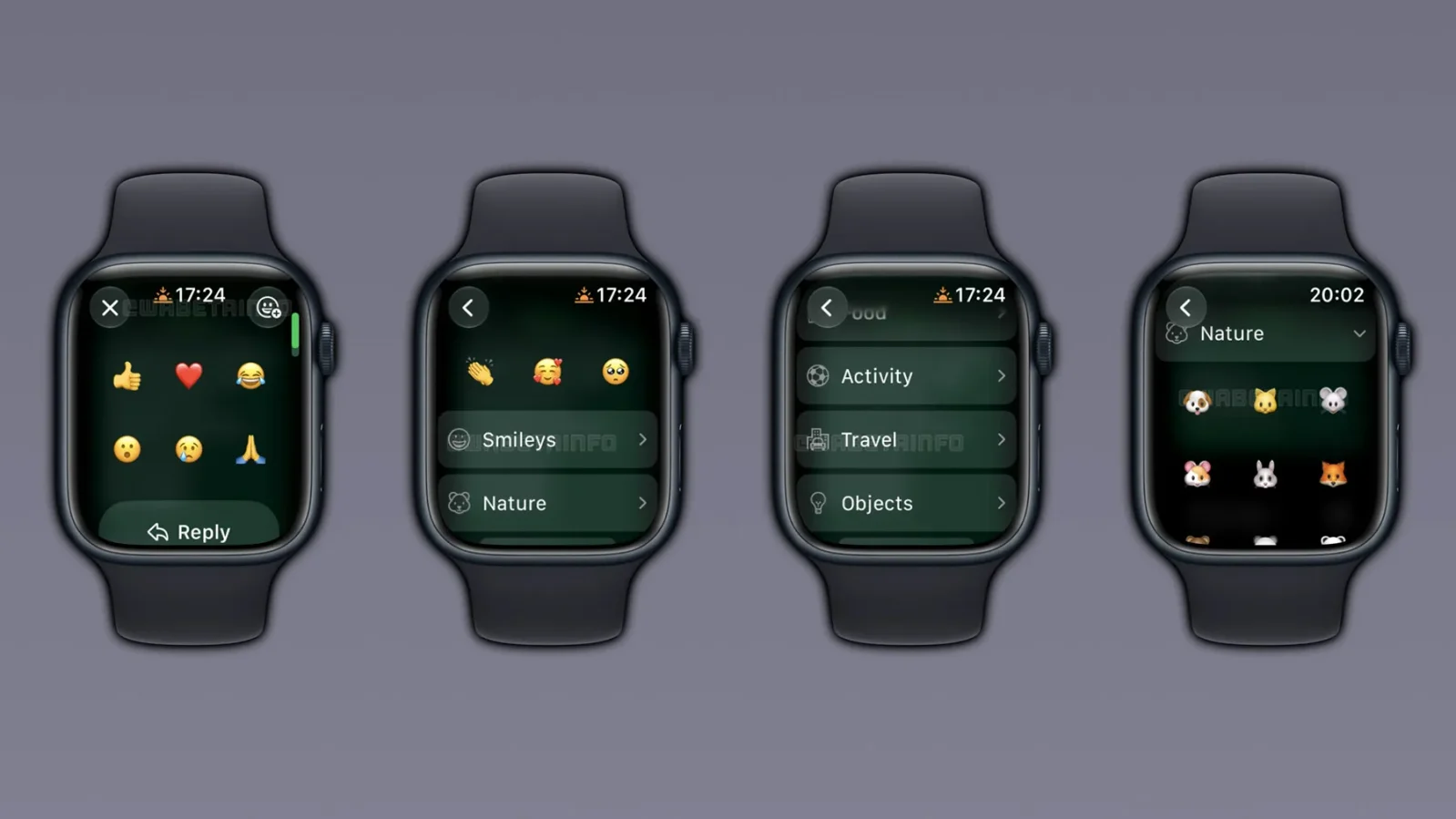
WhatsApp is making its Apple Watch app more useful with a small but important update. Apple Watch users can now react to WhatsApp messages using any emoji available on watchOS, instead of being limited to just six preset reactions. The new feature is currently rolling out to users and gives Apple Watch owners much more freedom when responding to messages directly from their wrist.
Previously, WhatsApp allowed Apple Watch users to react to messages, but the feature had a major limitation. When users pressed and held a message, they could only select six default emojis. These included commonly used reactions such as thumbs up, heart, laughing, surprised, sad, and praying emojis.
If users wanted to use a different emoji, they had to take out their iPhone.
WhatsApp Adds Full Emoji Picker on Apple Watch
With the latest change, WhatsApp is expanding emoji reactions on Apple Watch to include the full emoji library available through watchOS. The basic reaction menu still shows the six default emojis when you press and hold a WhatsApp message. However, users can now open a larger emoji picker to find additional emojis.
The picker also includes recently used emojis, making it easier to quickly find an emoji that you have used before.
According to details reported by WABetaInfo, WhatsApp organizes the available emojis into eight categories. These include Smileys, Nature, Food, Activity, Travel, Objects, Symbols, and Flags. Users can browse these categories and select almost any emoji they want to use as a WhatsApp reaction.
How to React With Any Emoji on Apple Watch
Using the new WhatsApp emoji reaction feature should be relatively simple. When you receive a WhatsApp message on your Apple Watch, open the conversation and press and hold the message you want to react to.
The six default reactions will appear first. From there, you can open the expanded emoji picker and browse through the different emoji categories. You can then select the emoji you want, and WhatsApp will add it as your reaction to the message. This makes WhatsApp on Apple Watch much closer to the experience available on the iPhone 18 Pro or other models.
WhatsApp’s Apple Watch App Keeps Getting Better
WhatsApp’s Apple Watch experience has improved significantly compared with the company’s earlier approach to watchOS.
WhatsApp previously had a limited presence on Apple Watch, with users depending heavily on notifications to read and respond to messages. The company later introduced a dedicated Apple Watch app with features including chat history, voice messages, call notifications, and emoji reactions.
The addition of the full emoji picker is another step toward making WhatsApp more practical as a standalone messaging experience on Apple Watch. It is particularly useful when you want to quickly react to a message without taking your iPhone out of your pocket.
When Will the New WhatsApp Emoji Feature Arrive?
WhatsApp has started rolling out the new emoji reaction functionality, but it may not be available to every Apple Watch user immediately. WhatsApp frequently uses a gradual rollout system for new features. This means some users may receive the feature before others, even if they are using the same version of the app.
Leave a comment